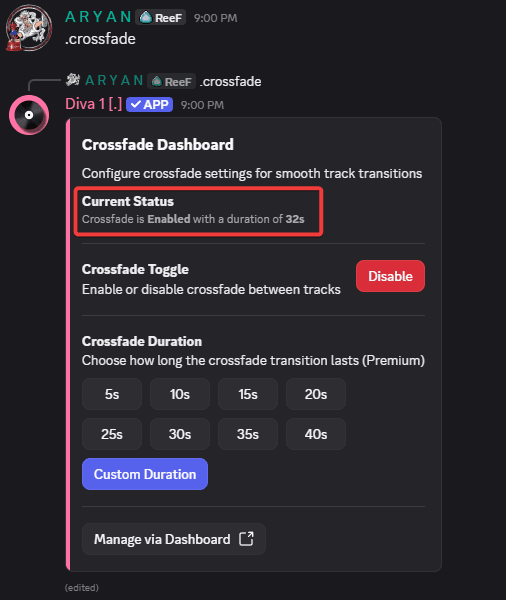
Crossfade™
Crossfade is our proprietary audio transition technology that delivers smooth, gapless transitions between tracks.
Crossfade™ is Diva's in-house audio transition technology that blends tracks together seamlessly - no gaps, no jarring cuts, just continuous music.
Using Crossfade
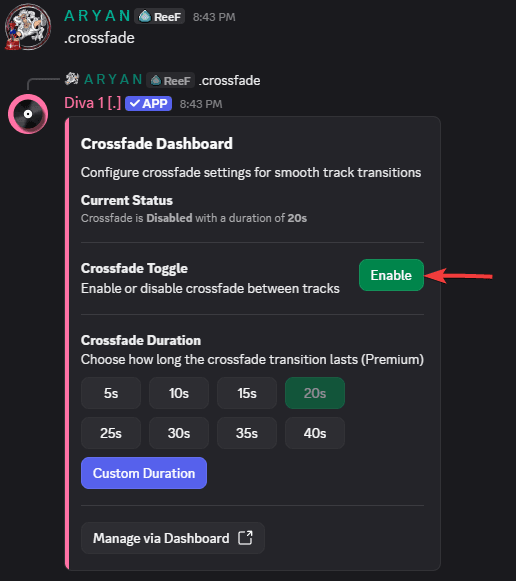
Run the .crossfade command in your server. Diva will prompt you to enable it - click Enable.
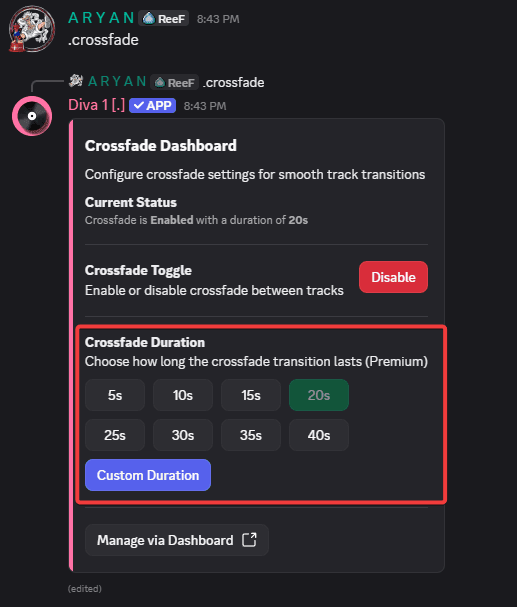
Set your preferred crossfade duration. This controls how long the overlap between tracks lasts.
Premium Feature
Customizing the crossfade duration requires Diva Premium. If you have Premium but haven't activated it on your server yet, head over to the Redeem page first.
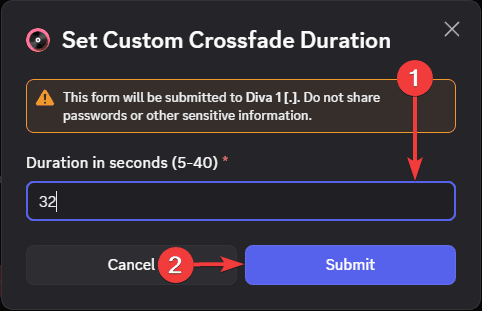
Want a specific duration? Click the Custom Duration button. A dialog will appear - enter a value between 5 and 40 seconds, then click Submit.
That's it! You'll see a confirmation and crossfade is now active with your chosen duration.